
Brainstorming is a great way to tap into your team’s collective intelligence. But too often, it turns into a messy wall of sticky notes, duplicate ideas and sorting them while everyone watches.
We recently launched Slido Ideas, a simpler way to brainstorm with any group size: from small teams to sessions with hundreds of participants. Slido Ideas helps you collect, organize and prioritize input without complex whiteboards or heavy tools.
Below, we’ll show you how to make your brainstorming sessions more democratic, save time by identifying common themes in one click and, most importantly, turn great ideas into action faster.
What makes brainstorming actually productive?
A great brainstorm is one where you’re confident you’ve heard from everyone and you leave the meeting with a clear action plan. That’s often easier said than done, though.
When lots of ideas come in at once, it can be hard to keep track of submissions and keep the input structured.
Facilitation becomes a multitasking challenge: you’re trying to read, organize and make sense of everything while also leading the conversation. On top of that, participation can be uneven, especially in larger groups and hybrid meetings, where louder voices may dominate over more introverted team members.
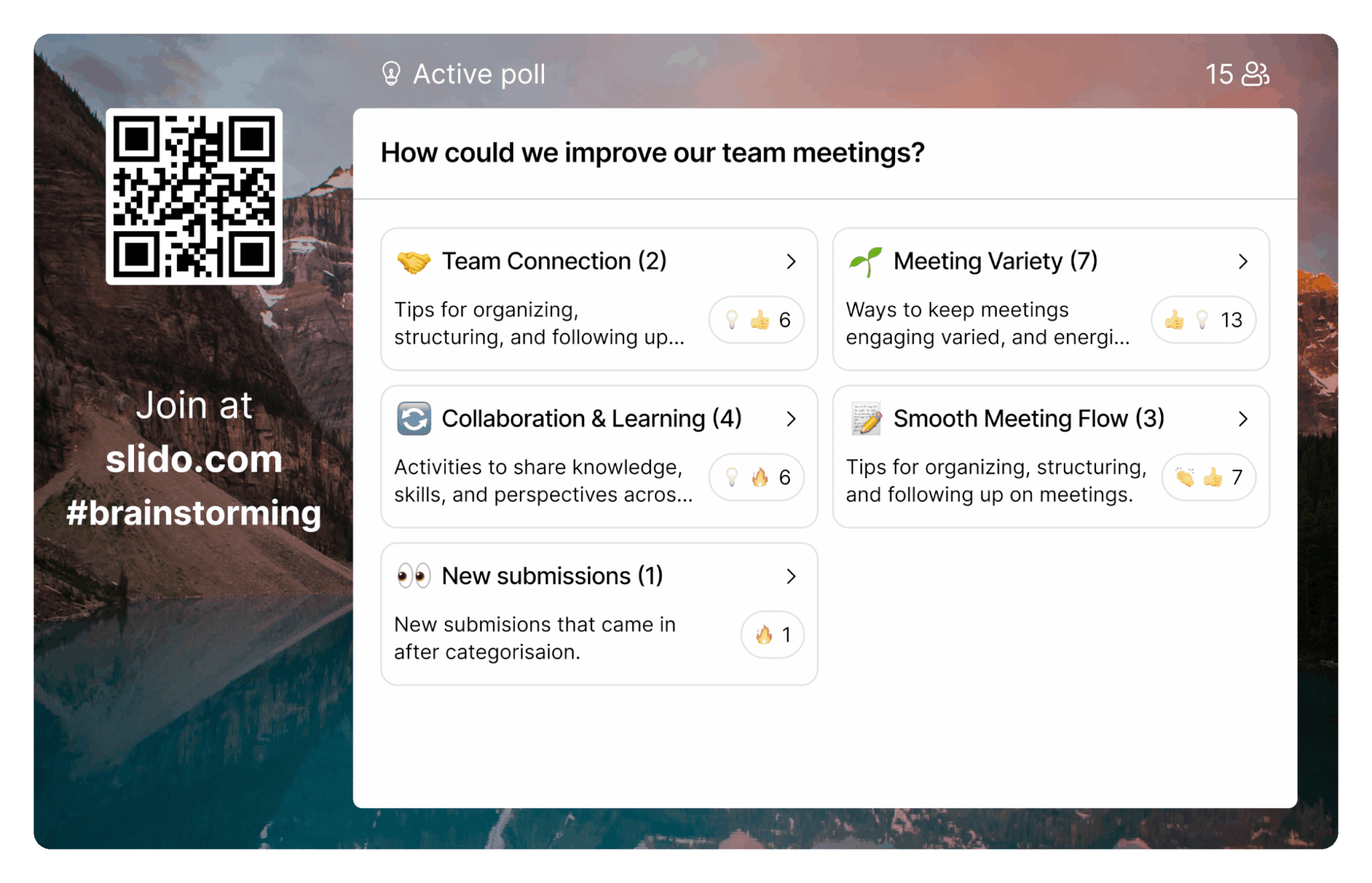
Slido Ideas tackles these challenges with a simple flow:
- Collect: Crowdsource input asynchronously in advance, for example before retrospectives, or gather ideas live during the meeting.
- Organize: Focus the discussion. Slido AI groups submissions into categories, making it easier to review the input, clarify ideas and, for projects or decision-making sessions, decide which themes are worth focusing on.
- Prioritize: Once the categories are clear, participants can vote on the ideas that matter most, helping the group align on priorities and decide what to do next.
Meeting formats where Slido Ideas helps you the most
Use Slido Ideas whenever you need a group to generate ideas, align on priorities or shape a plan together. Here are a couple of practical tips as to where and how to make the most of it.
1. Project kick-offs: get better ideas than “whatever the first person said”
Kick-offs are where groupthink loves to show up. The first person speaks, sets the tone and suddenly everyone’s nodding along. The quieter (often most thoughtful) ideas never make it into the room and you lose valuable input before the project even starts.
Slido Ideas flips that dynamic. Everyone submits ideas at once, so you capture input before it gets filtered by the conversation. Then the best ideas rise to the top through likes and emojis so what wins is what resonates, not who spoke first.
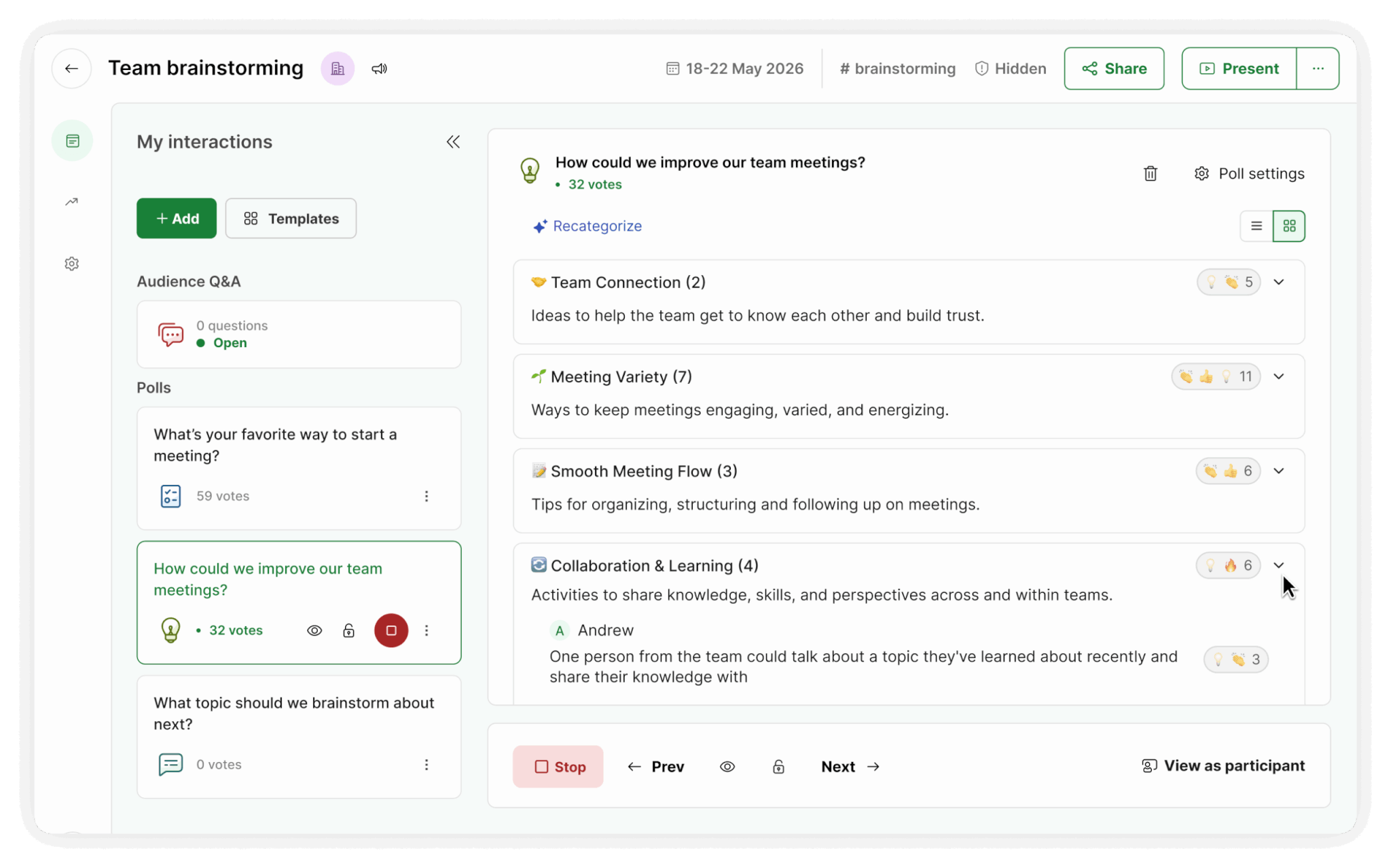
Once ideas are in, AI categorization helps you turn them into a clear set of themes you can build your plan around. From feedback to roadmap – without the sticky-note chaos.
Try this flow in your next kick-off meeting:
- Ask: “What risks could derail this project?” or “What’s unclear or missing from the plan?”
- Allow anonymous input if you want more honesty
- Upvote to identify the top concerns and opportunities
- Group ideas into categories and convert the top ones into a simple to-do list
Read also: 7 Interactive Tips for Running a Better Project Kick-off Meeting
2. Strategic planning and prioritization: from zero to action plan faster
Strategy sessions can generate plenty of ideas. The hard part is giving them all a direction without spending an hour organizing or debating in circles.
With Slido Ideas, you can pose a focused question, collect ideas fast and use reactions to surface priorities before the meeting is even over. It’s the quickest way to see what the team supports and to move from possibilities to decisions while everyone is still present.
Try this flow for strategic planning:
- Ask: “What should be our #1 focus next quarter?” or “What should we stop doing to free capacity?”
- Collect ideas for 3–5 minutes, so everyone can contribute before the discussion starts.
- Group ideas into categories to reveal similar suggestions and make the input easier to navigate.
- Discuss the themes in more detail and decide which ones are in scope.
- Let participants or stakeholders vote with emojis to prioritize the most important themes or ideas.
Turn the top priorities into clear next steps, including an owner and first action.
Read also: How to Prioritize Tasks Effectively When You’re Managing a Team

3. Team retrospectives: stop sorting, start solving
If you run retros regularly, you know the pattern: you’ve got 30 minutes, but 20 of them disappear into grouping feedback. “What went well” turns into a long list. People add duplicates. Someone starts reading everything out loud. And as the facilitator, you’re trying to lead the discussion while also processing every input in real time.
Slido Ideas is built for exactly this moment. Use it to collect input from everyone (with names or anonymously), then let the team react with likes and emojis so the most important points rise naturally. When you’re ready to move forward, use AI-powered grouping to turn scattered comments into clear categories. This way, you don’t have to waste time sorting ideas, but can rather spend it discussing them.
Try this in your next retro:
- Ask one prompt at a time (e.g., “What slowed us down?” / “What should we do differently?”)
- Give 2–3 minutes for silent input, then 1 minute for reactions
- Group ideas using AI and discuss the top 2–3 categories first
- The result: more participation, less chaos and a retro that actually ends with actions.
Read also: How To Run a Great Retrospective With Your Remote Team
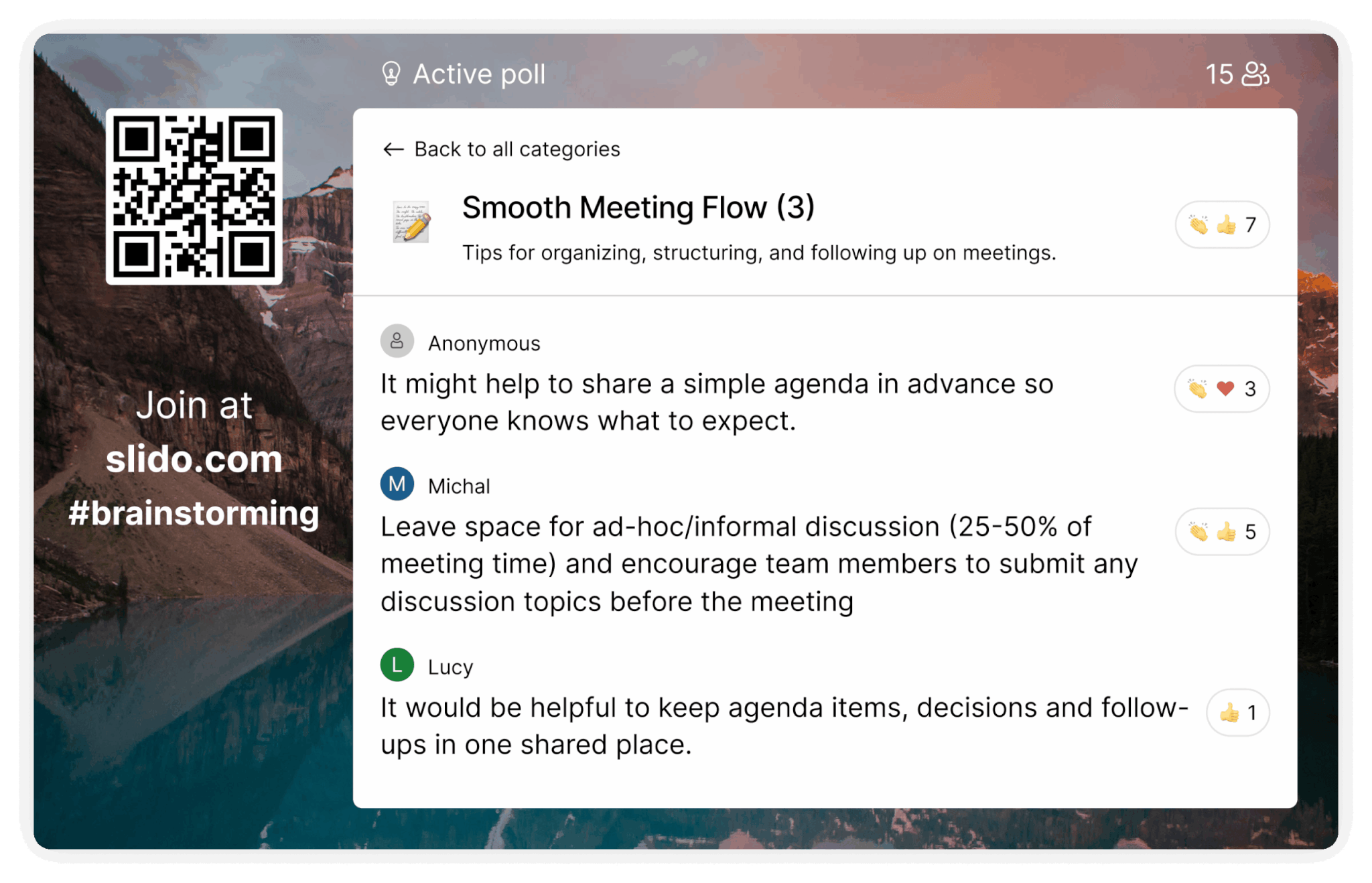
Slido Ideas levels the field for both remote and in-room ideas
Whichever setup you’re in — hybrid, fully online or on-site with remote participants — there will always be those who contribute and those who stay silent. Slido Ideas helps you level the playing field. Everyone submits ideas in the same space, at the same time, whether they’re in the room or joining remotely. Reactions and upvotes then show you what resonates across the whole team.
Try this hybrid-friendly brainstorming flow:
- Start with 3–5 minutes of silent idea entry, so everyone can submit input in parallel.
- Use AI grouping to categorize the ideas and quickly spot similar themes.
- Invite participants, including remote attendees, to vote on what should become the main priorities or next steps.
Read also: 5 Tips for Designing an Inclusive (Remote-Friendly) Brainstorming Session

How to start with Slido Ideas
Starting using Slido Ideas is super simple – no tutorial needed. The interface is intuitive for both hosts and participants.
How it works:
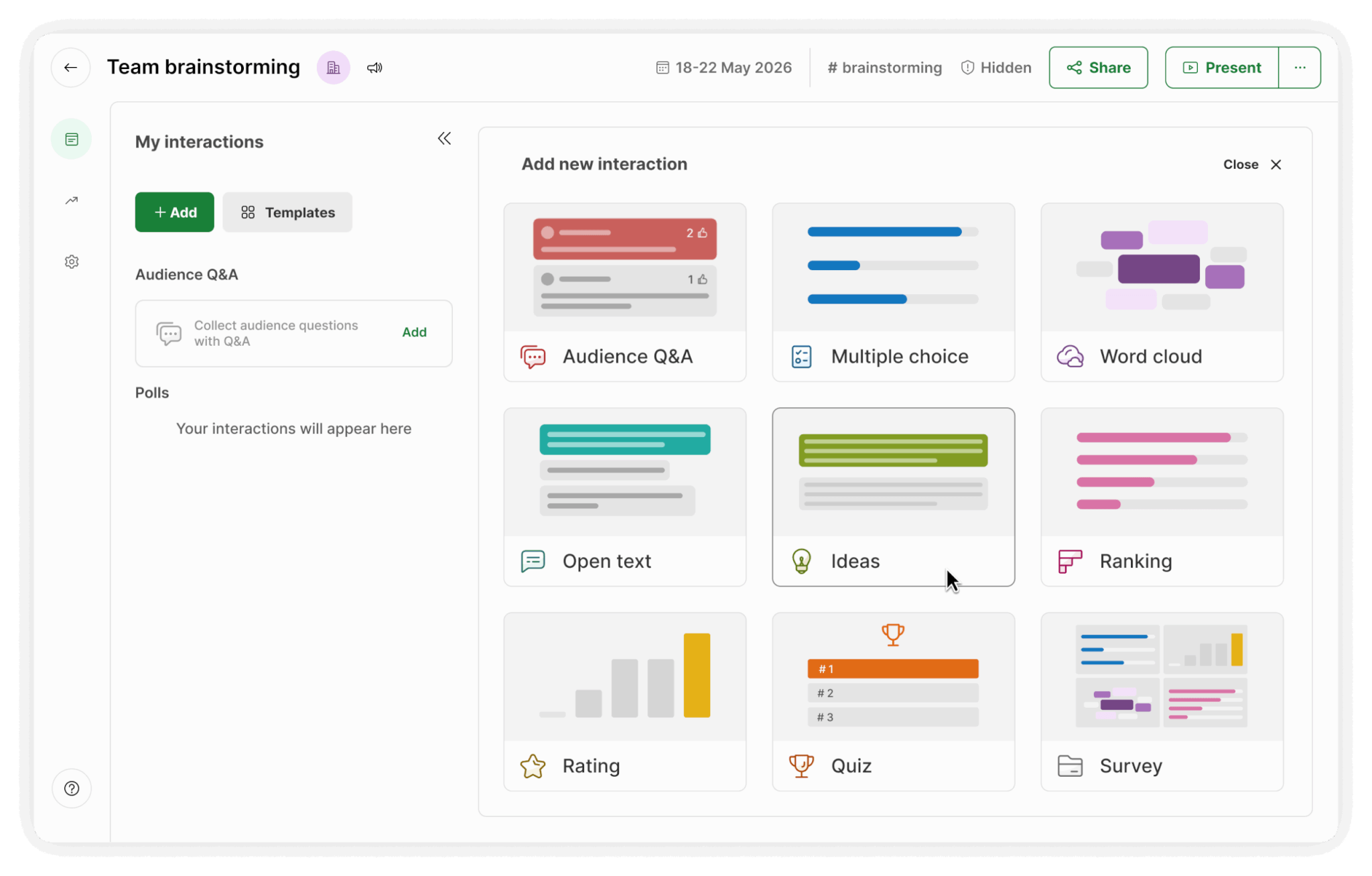
- Start: Select Ideas from the list of interactions and enter your brainstorming topic. You can choose to display ideas chronologically or by popularity.
- Engage: Give your audience a moment to respond and react to the suggestions of others.
- Group: Click the “Categorize” button to get a list of themes based on the number of ideas.
Do you want your next brainstorm to end with decisions instead of an endless board? Try Slido Ideas and get the most out of your collective brainpower.